Knowledge Center
A complete technical guide to the Pynath Booking onboarding flow and dashboard ecosystem.
1. Getting Started
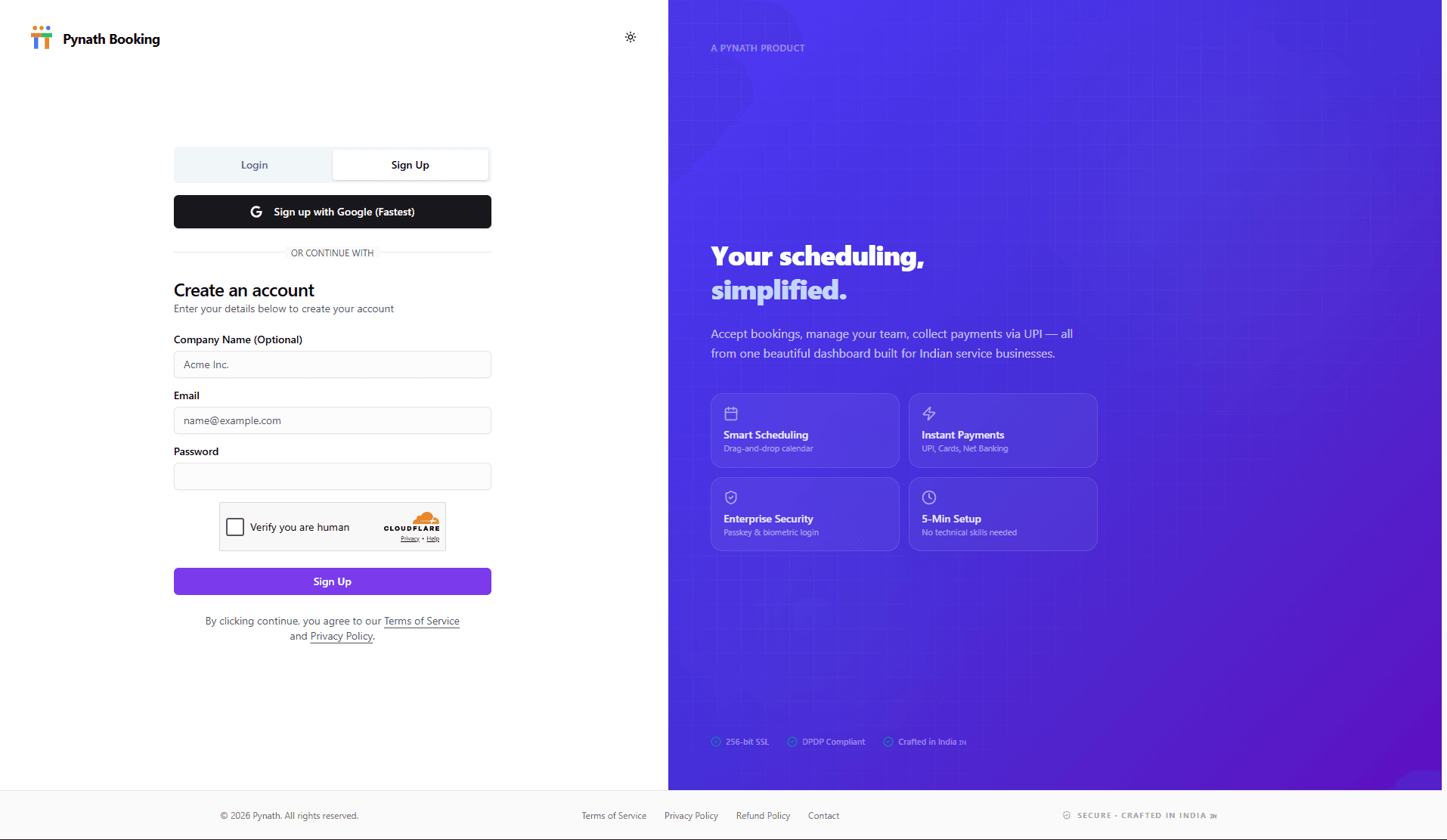
Account Registration
Securely sign up with your business email or Google account to create your secure workspace.
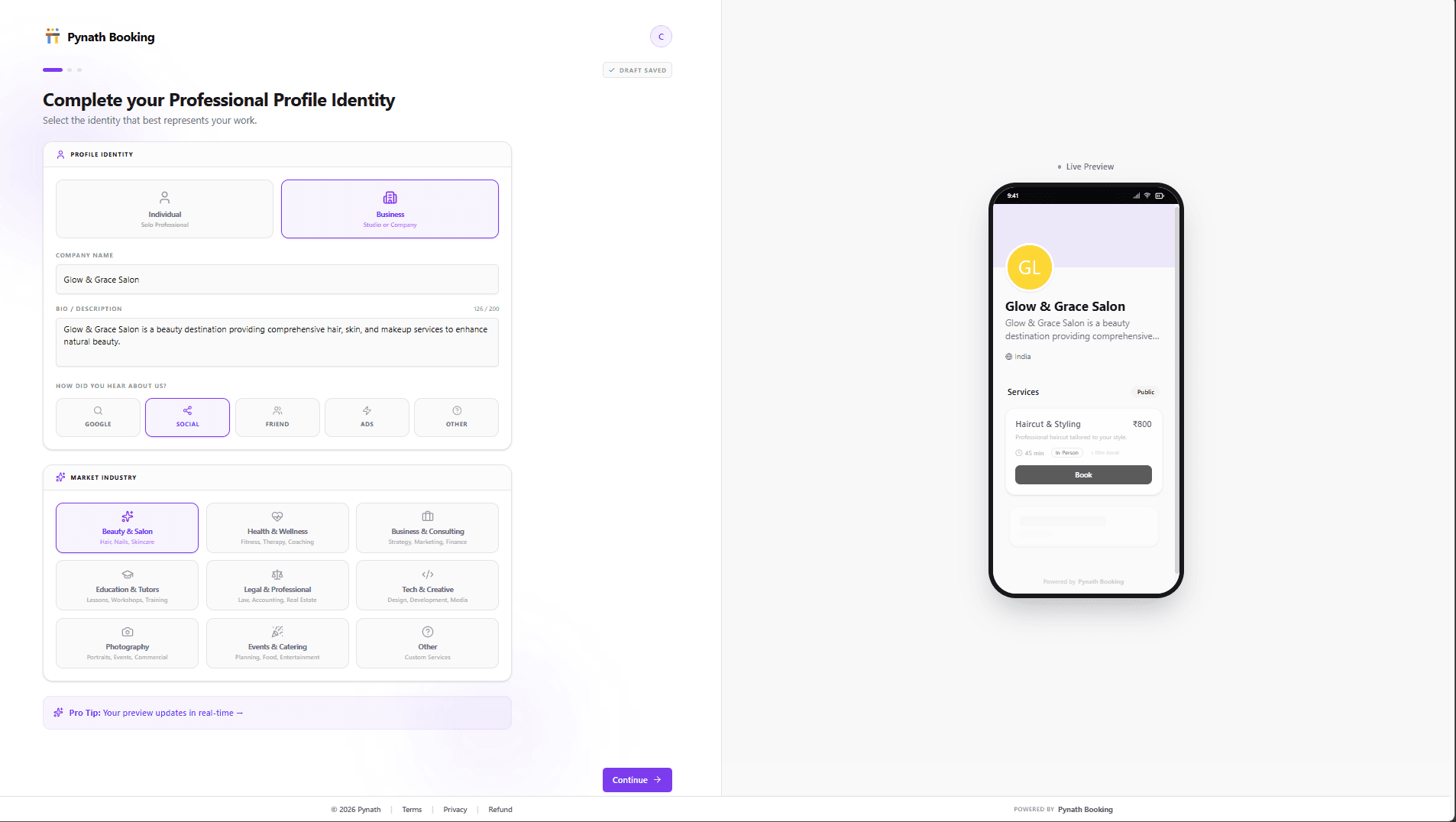
Profile Identity
Define your business name, industry, and professional bio. This sets up your brand's core identity.
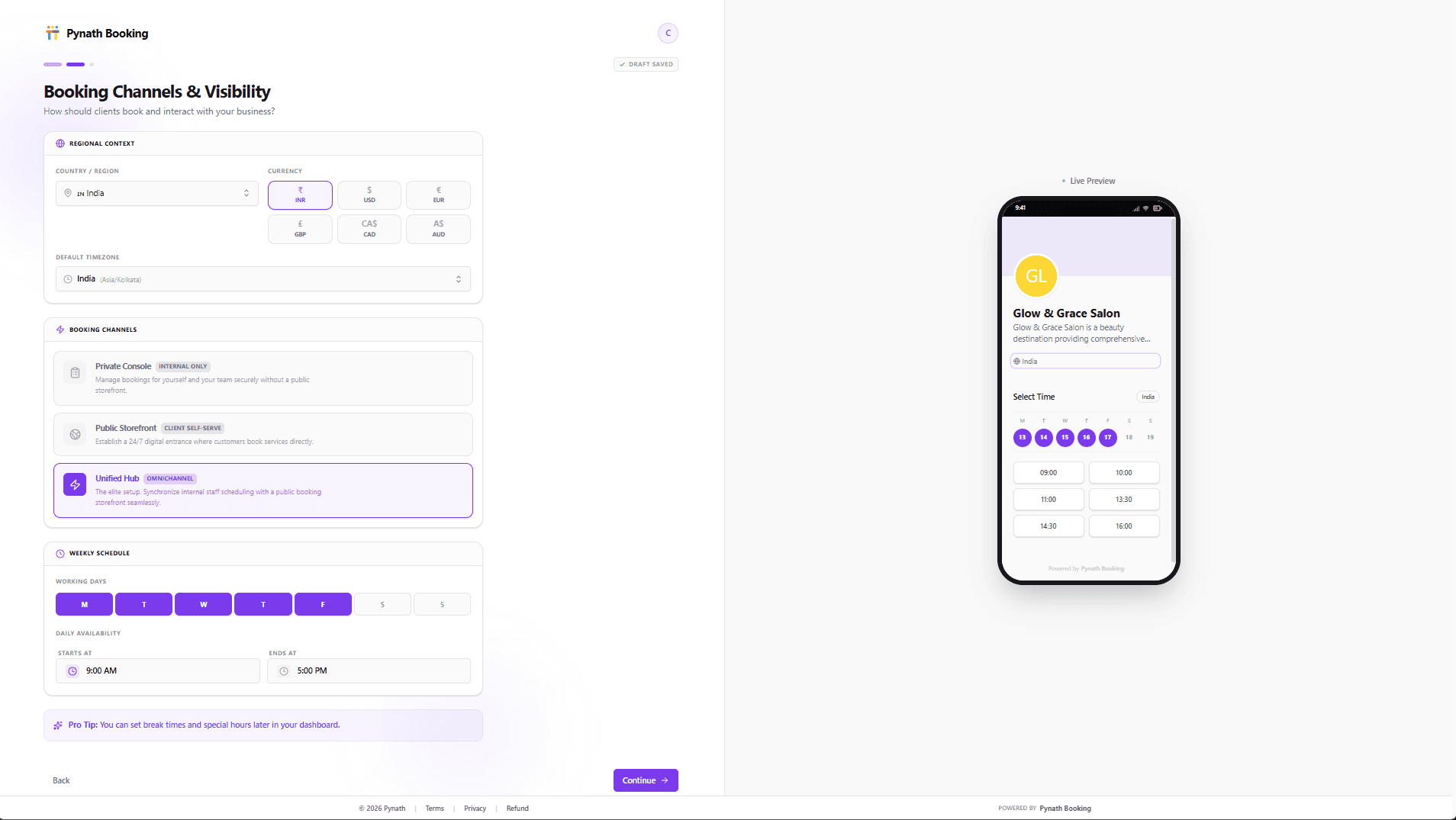
Regional & Global Scheduling
Configure your local currency, timezone, and operating hours. This step also allows you to choose between a Public Storefront or Private Console booking mode.
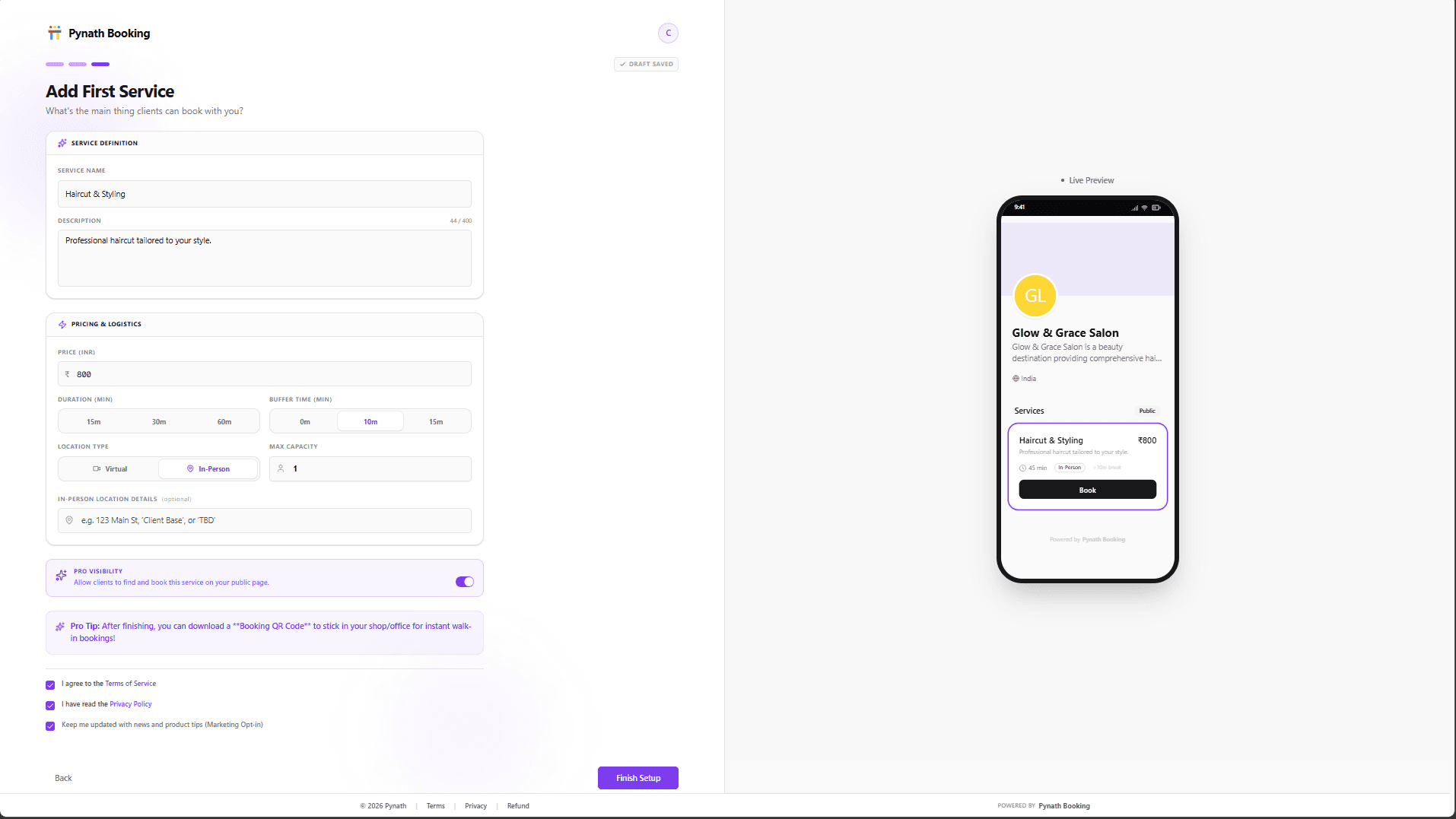
Service Initialization
Create your first service with duration and pricing. Completing this step launches your dashboard.
Team & Capacity
Invite staff members and set attendee limits for group sessions or workshops.
Branding & Identity
Customize your booking page with your logo and brand colors to match your business identity.
2. Navigating the Dashboard
Explore every feature across your business management portal.
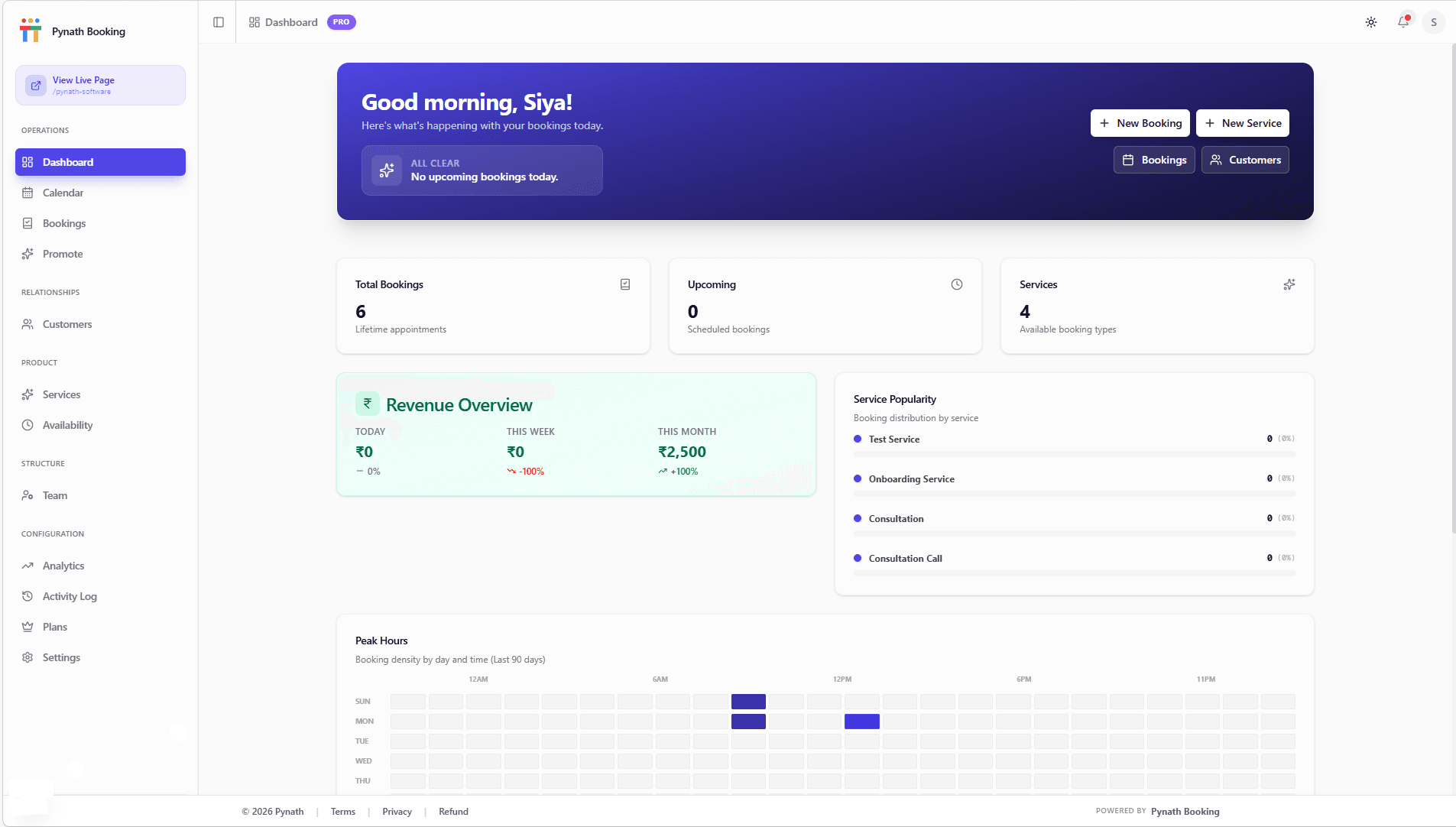
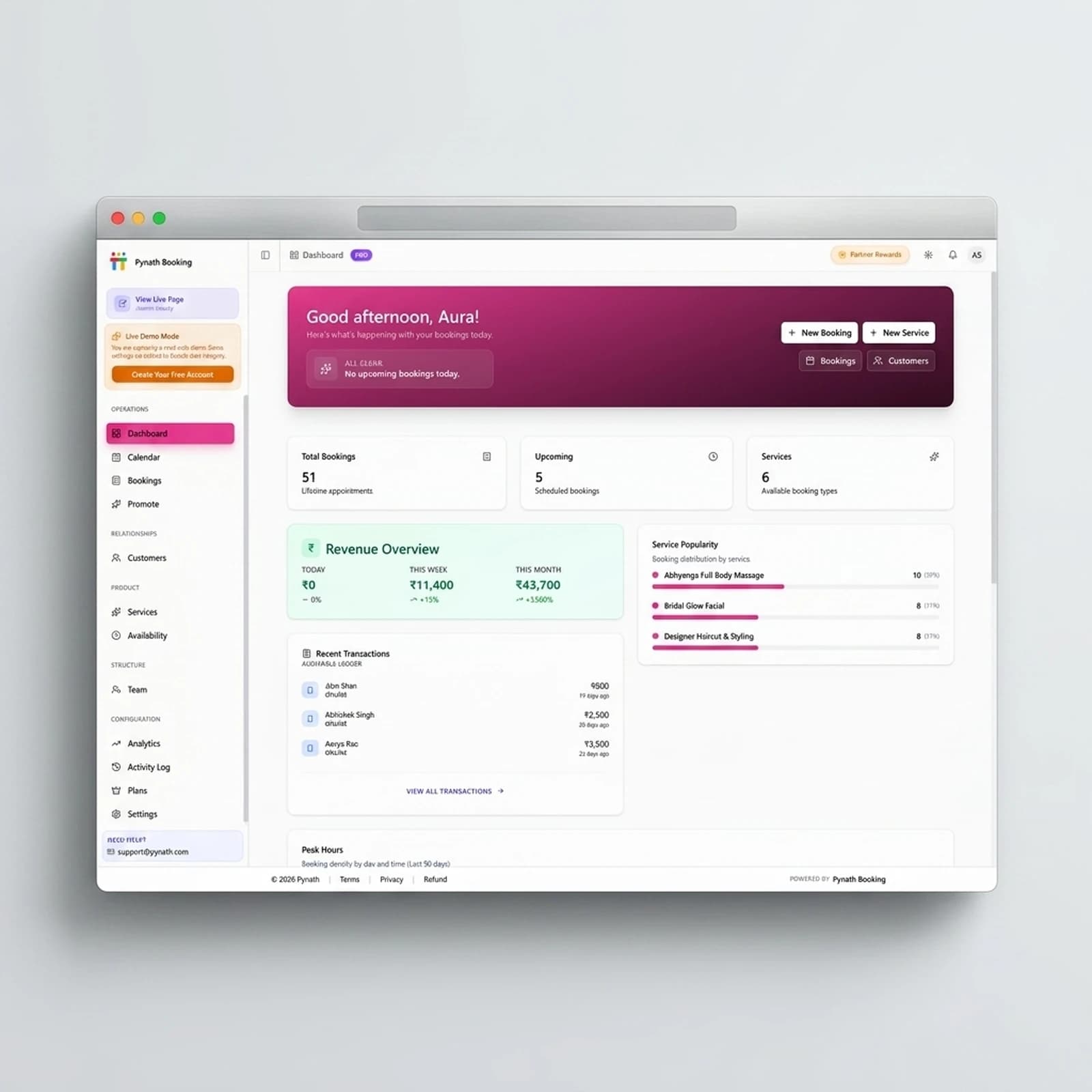
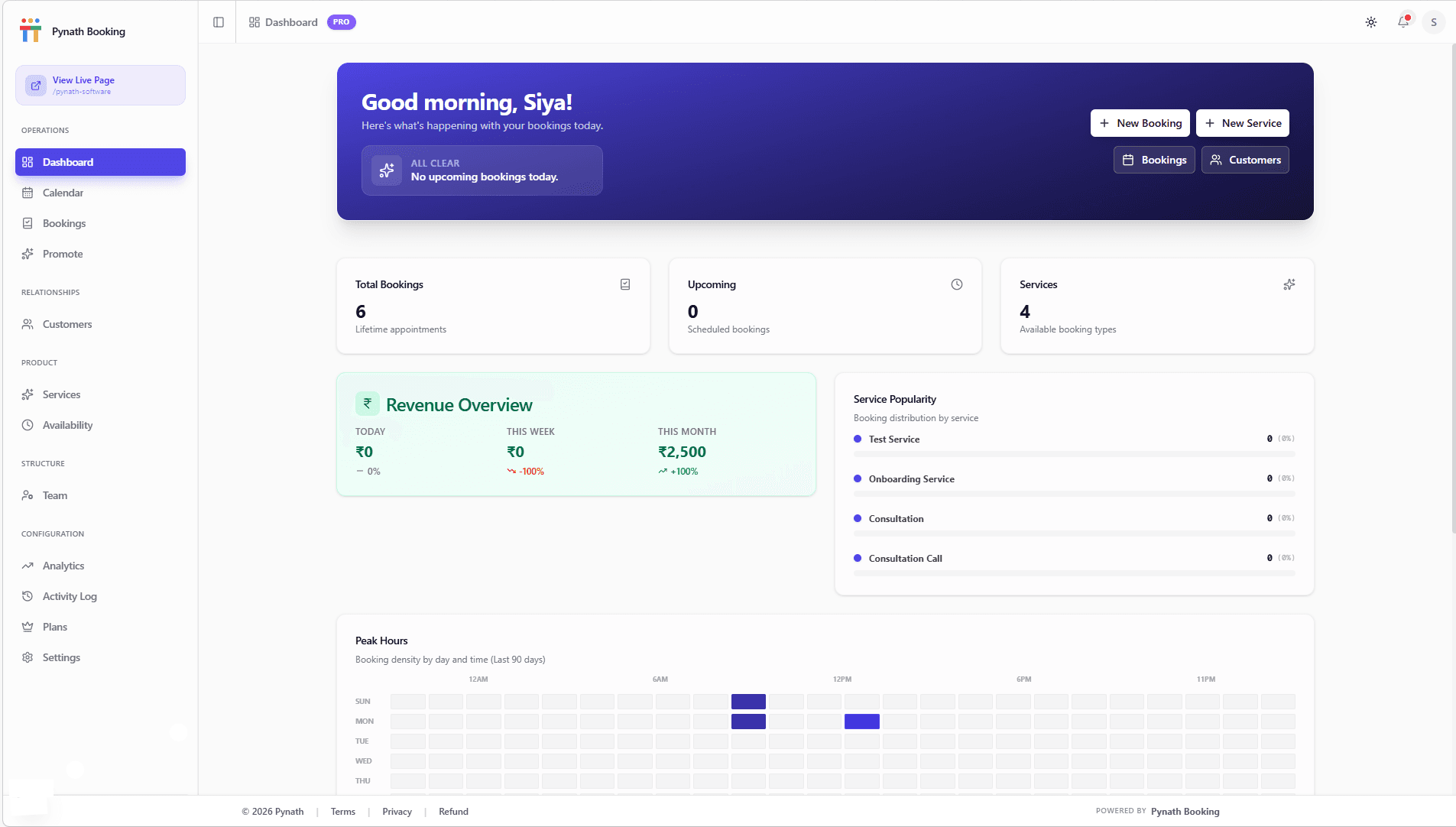
Dashboard
Your business at a glance.
- Track daily and monthly revenue.
- See upcoming bookings for the next 24 hours.
- Monitor active services and team performance.
- Quick-access shortcuts to common actions.
Calendar
Visual schedule management.
- Switch between Day, Week, and Month views.
- Sync with your external calendars (Pro).
- Manually block time for maintenance or breaks.
- Click any slot to create a manual booking.
Bookings
Manage your appointment lifecycle.
- Filter bookings by status: Upcoming, Completed, or Cancelled.
- Reschedule or cancel appointments with one click.
- View customer notes and special requirements.
- Export booking history for accounting.
Promote
Launch and grow your reach.
- Test your experience by booking a slot on your public link.
- Share your unique URL on Instagram, WhatsApp, and Google Maps.
- Generate custom QR codes for your physical storefront.
- Follow guides for GEO and Local Search visibility.
Services
Define your offerings.
- Create services with custom durations and pricing.
- Group services into categories for easier navigation.
- Set buffer times (e.g., 15 mins) between appointments.
- Toggle services on/off without deleting them.
Availability
Control your time.
- Set your regular weekly operating hours.
- Apply 'Date Overrides' for holidays or one-off sessions.
- Set minimum notice periods (e.g., 2 hours before booking).
- Configure booking window limits (e.g., 30 days in advance).
Team
Delegate and scale.
- Add staff members with unique login access.
- Assign specific services to different team members.
- Manage individual staff schedules and breaks.
- Track performance per team member.
Settings
Configure your brand.
- Update your business profile and contact info.
- Customize brand colors and upload your logo.
- Set your Custom Branded URL (Pro Users Only).
- Configure notification preferences for you and your clients.
Platform FAQ
Is there a limit to how many services I can add?
The Free plan allows for 3 active services. Upgrade to Pro for up to 100 services and advanced features.
Can I manage my team's schedule?
Yes! Add team members in the 'Team' section and assign them to specific services.
How do I change my booking link?
Pro users can set a Custom Branded URL in Settings > Branding. Free users receive a randomly generated booking name by default.
Does Pynath charge any commission on bookings?
No. Pynath is a 0% commission platform. We do not participate in your revenue.
Can I use it for offline/walk-in appointments?
Absolutely. You can use the Admin Calendar to log walk-ins manually, keeping your schedule perfectly synced.
How do I setup a workshop for a specific date?
Create a service and use 'Date Overrides' in the availability tab to add only that specific date and time.
Is there a limit on group capacity?
The Free plan supports up to 10 attendees per slot, while the Pro plan scales up to 100+.
Where can I share my booking link?
Common places include your Instagram/WhatsApp bio, Google Maps listing, and your email signature.
How does the manual confirmation work?
When enabled, bookings stay 'Pending' until you check them in your dashboard and click 'Confirm'.
What is required to create an account?
Just a valid Email address or a Google account. No credit card required for the Free plan.
Can I manage multiple business locations?
Yes. Use 'Tags' to categorize staff by location, or create separate accounts and link them via the Partner Dashboard.
Does it support GST invoicing?
Our premium plans allow you to add GST details to your automated receipts and invoices.
Can I use my own domain name?
The Pro plan supports Custom Branded URLs. Full custom domain support is on our roadmap.
3. Who is Pynath for?
The Scalable Specialist
Clinics & Doctors needing Phygital support, advanced data isolation, and zero waiting room overcrowding.
The Digital Solo
Tutors & Coaches needing a zero-install mobile booking experience and automated reminders.
The High-Traffic Hub
Salons & Studios managing 10+ staff members with resource/chair allocation and Instagram bio integration.
The Professional CA/Lawyer
Experts needing secure consultation intake forms and GST-ready billing during high-stakes seasons.
4. Pynath vs. Global Competitors
Why thousands of businesses are choosing Pynath for tailored local features.
| Strategic Feature | Global Tools (US-Based) | Pynath (Service-Native) |
|---|---|---|
| Data Location | Shared Cloud | Enterprise-Grade Isolated Servers |
| Booking Commission | Often 1-5% | 0% Commission |
| Learning Curve | High (Enterprise focus) | Low (Solo-entrepreneur focus) |
5. Sector-Specific Mastery
Optimized guides for your specific industry. Each guide explains how to use "book software" for maximum growth.
Salons & Spas
Manage multiple chairs as 'Team Members' and use specific links for different stylists.
Medical Clinics
Enable 'Manual Confirmation' to vet patients. Sync offline walk-ins via the Admin Calendar.
Tutors & Coaching
Set 'Max Capacity' for batches. Use specific service links for different subjects.
Gyms & Yoga
Optimize slot pacing to prevent overcrowding. Display trainer bios to enhance trust.
Consultants & CAs
Use recurring availability for monthly audits. Collect intake notes for 'Chartered Accountant' sessions.
Lawyers
Schedule 'Lawyer consultation' slots with travel buffers and secure client detail forms.
Real Estate
Manage property viewings efficiently. Use 'Rolling Window' to limit bookings to 14 days.
Home Services
Add travel buffer times between 'Home Repair' slots. Collect full address upfront.
Photographers
Block full days for shoots. Set a 24-hour 'Min Notice' for preparation.
Events & Workshops
Use 'Fixed Date' availability for one-off seminars. Scale capacity up to 100+ attendees.
Real-World Workflows
The Medical Clinic
"Admin manages walk-ins on an iPad via the Admin Calendar, while patients book future slots via a Google Maps link. The doctor views their daily schedule on a smartphone between consultations."
The Professional Tutor
"Tutors share service links for different subjects. Students pick a time and book instantly, eliminating manual confirmation calls."
The Premium Gym
"Trainers set a 'Max Capacity' of 15 for a HIIT class. The slot auto-closes once full, ensuring a premium experience without overcrowding."
Ready for the Sahi Shuruat?
Switching to Pynath (पाईनाथ) is easy.
vs moCal
moCal is a complex Client Management system. Pynath is a fast "Business OS" for those who want to book services in seconds, not manage enterprise pipelines.
- ✓ 0.5s Page Loads
- ✓ No Bloat Dashboard
vs Legacy Global Tools
Enjoy a platform built specifically for service professionals with focused features and flat pricing.
- ✓ Localized Support
- ✓ Sovereign Data Hosting
vs DaySchedule
Better discoverability. Our AEO/GEO engine ensures you rank for "best services near me" across your local region.
- ✓ Hyper-local SEO Pages
- ✓ 10+ Language Support
Built for Professional Trust
Secure Hosting
Your data is hosted 100% on secure cloud infrastructure for maximum security.
Data Isolation
We use advanced data segregation protocols to ensure your business data is never visible to others.
No App Required
Pynath is 100% web-based. No downloads required for you or your clients.
Universal Access
Optimized for Chrome, Safari, and Firefox across iPhone, Android, and Desktop.